The code is the easy part to take with you. Before you build anything you might move, check who holds the database, the user accounts and the secrets. v0 puts the database in your own Vercel account, and Bolt.new lets you claim it into your own Supabase. Lovable migrates your schema for you, but not the rows, the logins or the keys. Bubble and Glide let you export data, not the app.
Your export finished. The zip sits on your desktop. You run
npm install, then npm run dev, and the app
dies on the first request, because the database it wants belongs to
somebody else.
Five of the seven builders below will give you the code. That tells you close to nothing about whether you can leave.
Test yours in 60 seconds
Open your builder and look for your database connection string.
Found one? Paste it into a Postgres client on your laptop. If your tables show up, you own your data.
No connection string anywhere in the interface? You are renting your data, and the cost of leaving grows with every table you add.
Run that check before you read the table. It takes the shine off the export button, which is the point.
Four layers, and you only hear about one
Code. The files. The layer every vendor advertises, and the easiest one to get out.
Data. Your database, with its schema, relations and types intact. A CSV export is a photograph of your rows with the structure trimmed off.
Auth. Who your users are and how they sign in. Usually rebuilt on a migration, and passwords rarely come with it.
Deploy. Where the app runs, and whether it can run anywhere else.
Give a builder your weekend and it hands back some subset of those four. The table sorts by how big that subset is.
The table
Seven builders, checked against their own documentation in September 2026.
| Builder | Code | Data | Auth | Deploy | What you keep |
|---|---|---|---|---|---|
| v0 | ZIP, GitHub sync | Neon, Supabase or Upstash via Vercel Marketplace | Not documented | Vercel; code runs elsewhere | Code, plus a database you pay for directly |
| Bolt.new | ZIP, GitHub sync | Bolt database; claimable into your Supabase | Supabase Auth, moves on claim | Bolt hosting; Netlify documented | Code, plus database and auth once claimed |
| Lovable | GitHub sync on all plans; ZIP on paid | Lovable Cloud (Supabase) | Lovable's | Portable with work | Code and schema; rows, logins, secrets by hand |
| Replit | ZIP, GitHub sync | Dev and prod databases; prod exports | Replit Auth; Clerk optional | Portable with work | Code and production data |
| Base44 | GitHub sync, Builder plan and up | CSV per table; SDK access | Base44's | Base44; frontend can move | Code on a paid plan; data via CSV or SDK |
| Bubble | None | CSV, JSON or NDJSON per data type | Bubble's | Bubble's | Your data, no code |
| Glide | None | CSV per table, some columns dropped | Glide's | Glide's | Your rows, no code |
Sources: v0 · Bolt.new · Lovable · Replit · Base44 · Bubble · Glide. Glide's lack of code export rests on a community answer, not an official page.
Three traps to check before you build
Bolt.new: connect and claim are different procedures
Connect points your project at a Supabase project you already have. Claim moves an existing Bolt database into a Supabase organization you own.
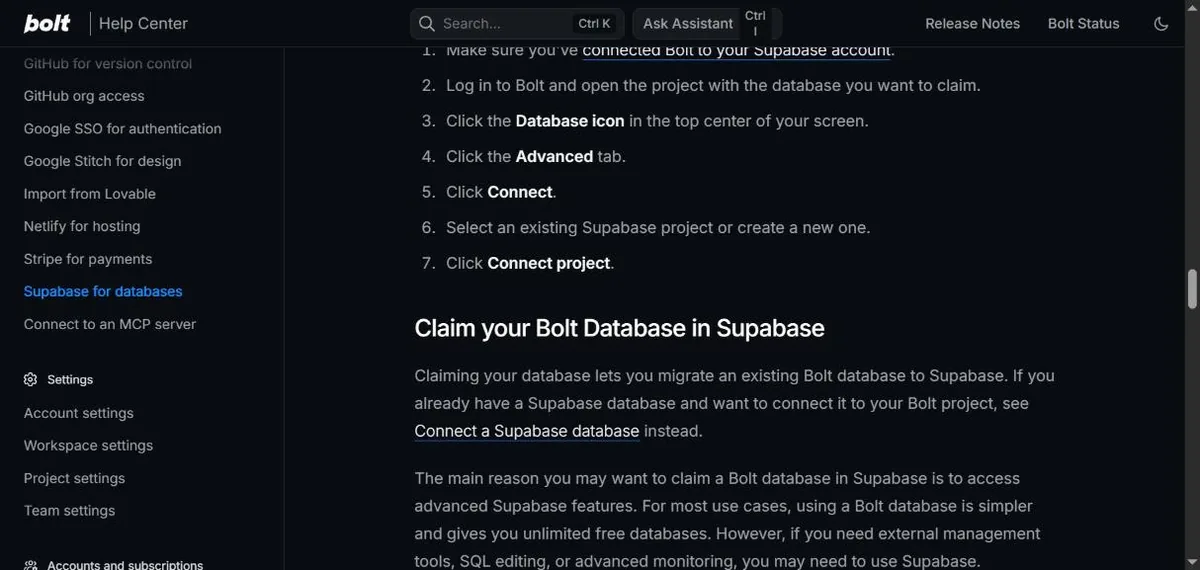
The names are close and the steps sit on the same page. Bolt's own advice is that a Bolt database is simpler for most projects, and that you claim when you need external tools, SQL editing or advanced monitoring. That advice is fine for a prototype. For anything you might take elsewhere, decide on day one, while the database is empty and moving it costs nothing.
Lovable: the code and schema move, the rest does not
Lovable says it plainly: while you build, your project code is stored and managed inside the Lovable platform. Two-way GitHub sync keeps a copy in your own repository on every plan, and that part really is one step.
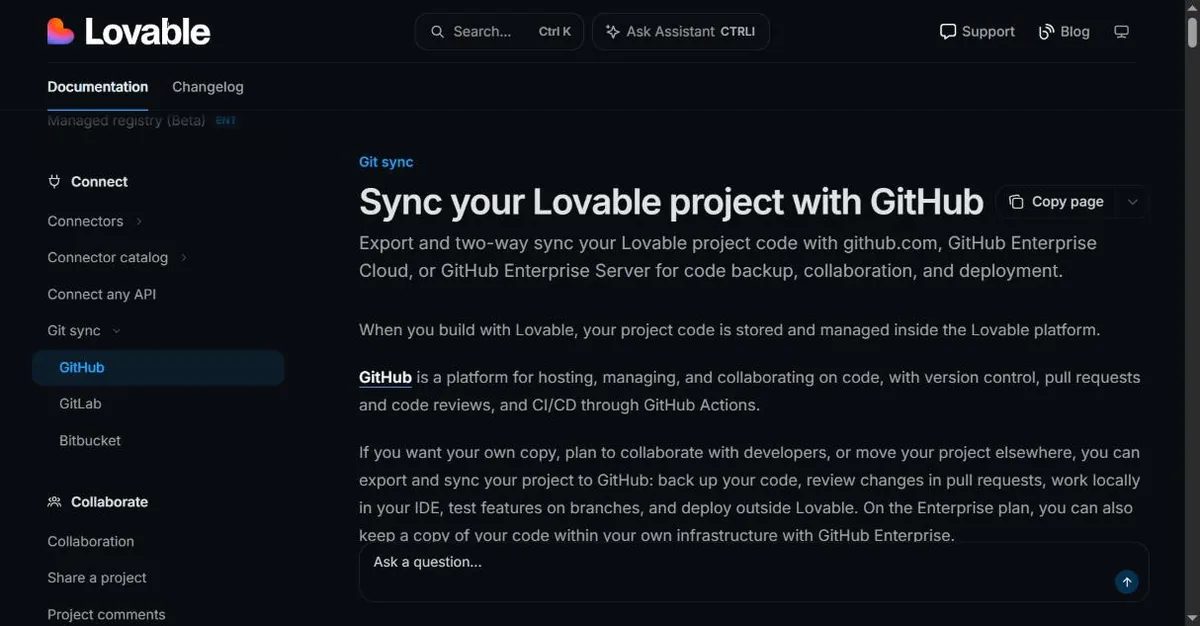
The database is where it gets slower. There is no one-click move from Lovable Cloud to your own Supabase project, but you don't rebuild the schema by hand either. Lovable's guide to hosting elsewhere moves the database schema and storage buckets automatically, through SQL migrations. Everything else on its list is manual: table contents, auth providers, environment variables and secrets, and storage files.
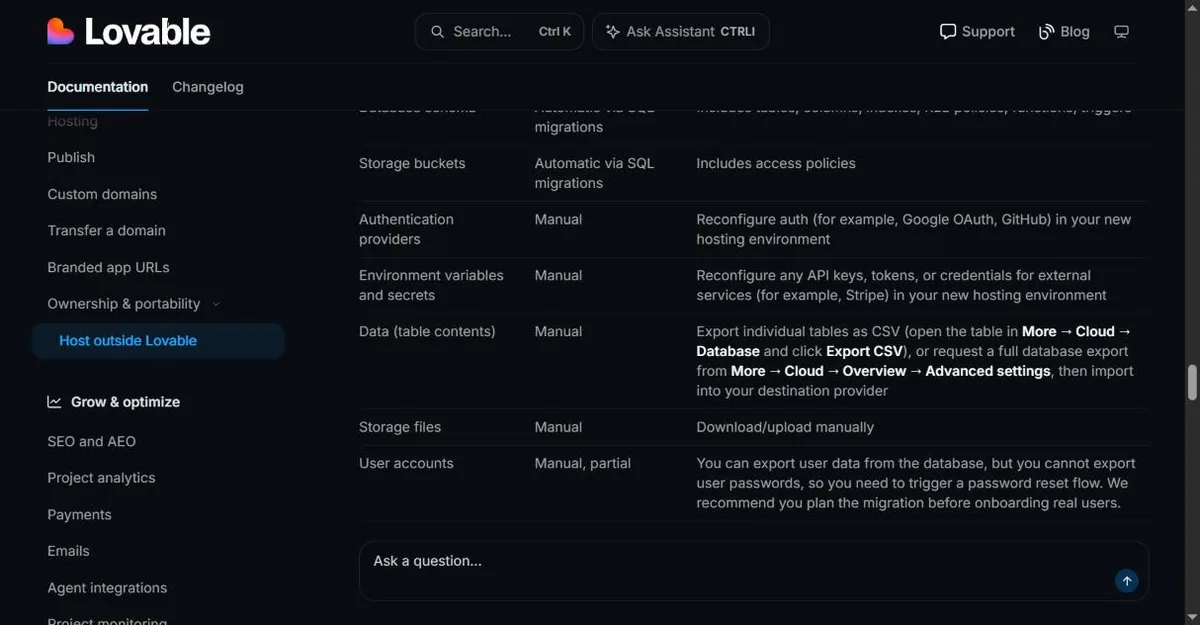
The last row is the expensive one. You can export user data, but not passwords, so every user resets their password on the day you move. Lovable's own recommendation is to plan the migration before you onboard real users.
Replit: know which database holds your real data
On Replit's current setup, each app gets a development database, and publishing creates a separate production database. The production data can be exported. Neither database is exposed publicly: Replit's own table says the database is only accessible from within your app.
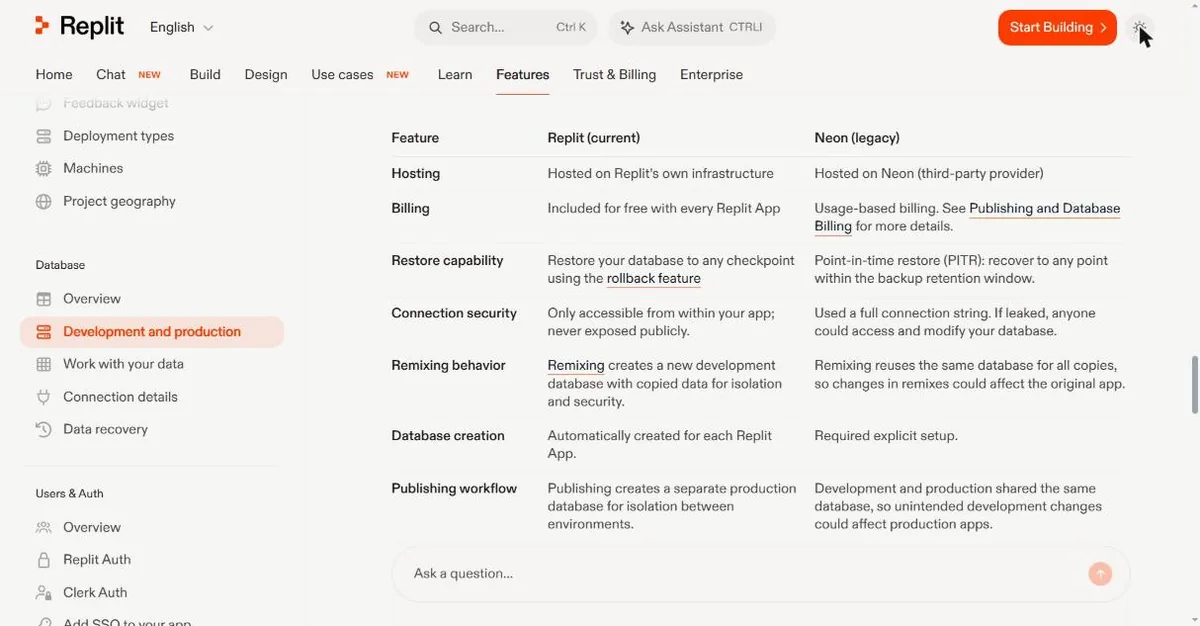
That is good for security and awkward for leaving. You can't point an outside tool at the database and copy it, so check tonight which of the two your app actually writes to, and how you would pull that data out. Don't leave that question for the day you move.
Secrets mostly stay behind
API keys, tokens and connection strings live in the builder's secret store, not in your code. Moving your code doesn't move them. The repo can look complete and still authenticate with nothing.
The builders document this unevenly. Lovable lists environment variables and secrets as manual work when you host elsewhere, along with auth providers, and user passwords don't come out at all. A Replit remix keeps the names of its secrets with the values left blank. The public Supabase keys in a Lovable repository are the exception: those are meant to ship with the frontend.
Budget a full day after any export to recreate database credentials, rewire auth providers and reissue API keys.
Your first hour on any of these
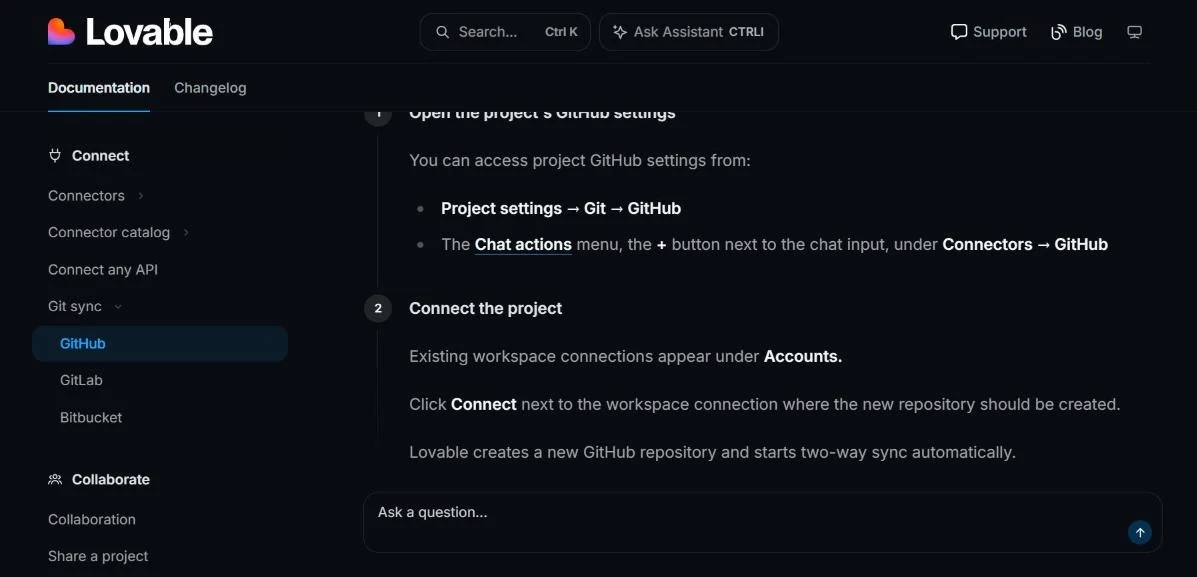
- Connect GitHub before your second prompt. Your code starts existing somewhere the vendor doesn't control. On Lovable the path is Project settings, then Git, then GitHub.
- Bring your own database if the builder allows it: your own Supabase or Neon project, not the managed one.
- Save every secret as you create it in your own password manager, because the export leaves them behind.
- Deploy once to hosting that isn't the builder's, while the app is small enough that the errors are still easy to read.
Skipping these steps doesn't save you the work. It moves the work to a worse day, when the app has more tables.
Picking one
You want the database on an account you control and don't mind wiring your own backend? v0 and Bolt.new both allow it. On Bolt, claim the database on day one.
You want the shortest path from prompt to working app? Lovable gets you there fastest, and its schema migrates for you when you leave. Plan the user migration before real people sign up.
Building something internal, short-lived, or that will never move? Bubble and Glide are fine. Lock-in only costs you on the way out, and you aren't going out.
Frequently asked
Can you move a Lovable app off Lovable?
Yes. Code leaves through two-way GitHub sync. Lovable's hosting guide migrates the database schema and storage buckets through SQL migrations. Table contents, auth providers, secrets and storage files move by hand, and passwords can't be exported, so users reset them after the move.
What is the difference between connecting and claiming a database in Bolt.new?
Connecting points your Bolt project at a Supabase project you already own. Claiming moves an existing Bolt database into a Supabase organization you own. Bolt documents both on the same help page as separate procedures.
Can an outside tool reach a Replit app's database?
Not directly. Replit's documentation says its current database is only accessible from within your app and never exposed publicly. Publishing creates a separate production database, and that one can be exported, so check which one holds your data before you plan an exit.
Checked against each builder's documentation in September 2026. These tools change plan gating and export behaviour often. If a row here is out of date, it's wrong, and this is how corrections work.
